
DoiT Cloud Intelligence™
Ingest Data from Google Cloud Dataflow to BigQuery — Without the Headaches (Part II)

If you haven’t already, please read part I of this series, otherwise, the following will make much less sense.

Separating The Bad Data From The Good
I have added some additional features to our pipeline. It now has a configurable amount of time for retry attempts, records the DateTime when the data was received (processed_timestamp) and dumps data which has passed the retry time into a “bad data table”.
Let’s explore what the new DAG looks like:
As you can see there is a new step which splits out data, into two groups. Data that will be retried and data that will be dumped into the “bad data table”. The bad data table contains the original data, bad_data; the target table in BigQuery, target_dest; the specific error that piece of data failed with, error; and the time in which the data was inserted into the bad data table, insert_time.
How the Retry Mechanism Works
The retry mechanism works by setting an integer for the number of minutes a message can be retried. Whenever a message is retried, the retry number stored in the message is updated. This updated number is equal to the difference in minutes between the originally received time, processed_timestamp, and the current time divided by the size, in minutes, of the processed time window. This effectively gives us the number of times we have attempted to migrate the schema in the target table for BigQuery.
A caveat to this is that the message may have gone around the retry step more than once, however, because it has only been attempted to migrate a fixed number of times due to the time processed time window. It does accurately represent the number of times the target table schema has been attempted to be changed.
Set a Time Window for Schema Changes
The processed time window for schema changes works by creating a key, for the target table, and a value which is the combined new schema, which is the merger of the new incoming schema and the current target tables schema. This happens in a configurable time increment. This avoids updating BigQuery for each piece of data with a different schema, but rather a combined window of changes. This combined window prevents a situation when there a large number of recent JSON objects all with a new schema for the target table attempting to update the target table. As things happen in parallel, many updates can be triggered, hence the combining. To achieve this in Dataflow, a Fixed Time window is used. Read about them in Beam’s official documentation, or see below for a simple example.
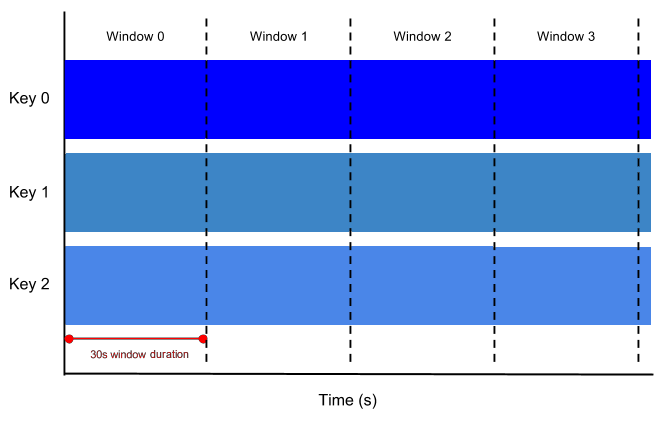
Given the grouping of schema changes, the retry number is effectively the number of times the pipeline has tried to update the schema of the target table. The JSON object which is triggering this change could have gone around the pipeline many times or not many at all. If the pipeline is dealing with a large amount of data, please set the window size to a smaller value (1–5). With a smaller amount of data obviously you can have a larger window size, however, setting a larger window will increase the amount of time it takes to update the target table. If you are not sure, stick with the default of 3.
More information can be found in the GitHub repo for this project. If you like this project, please feel free to check me out on my personal git repo.