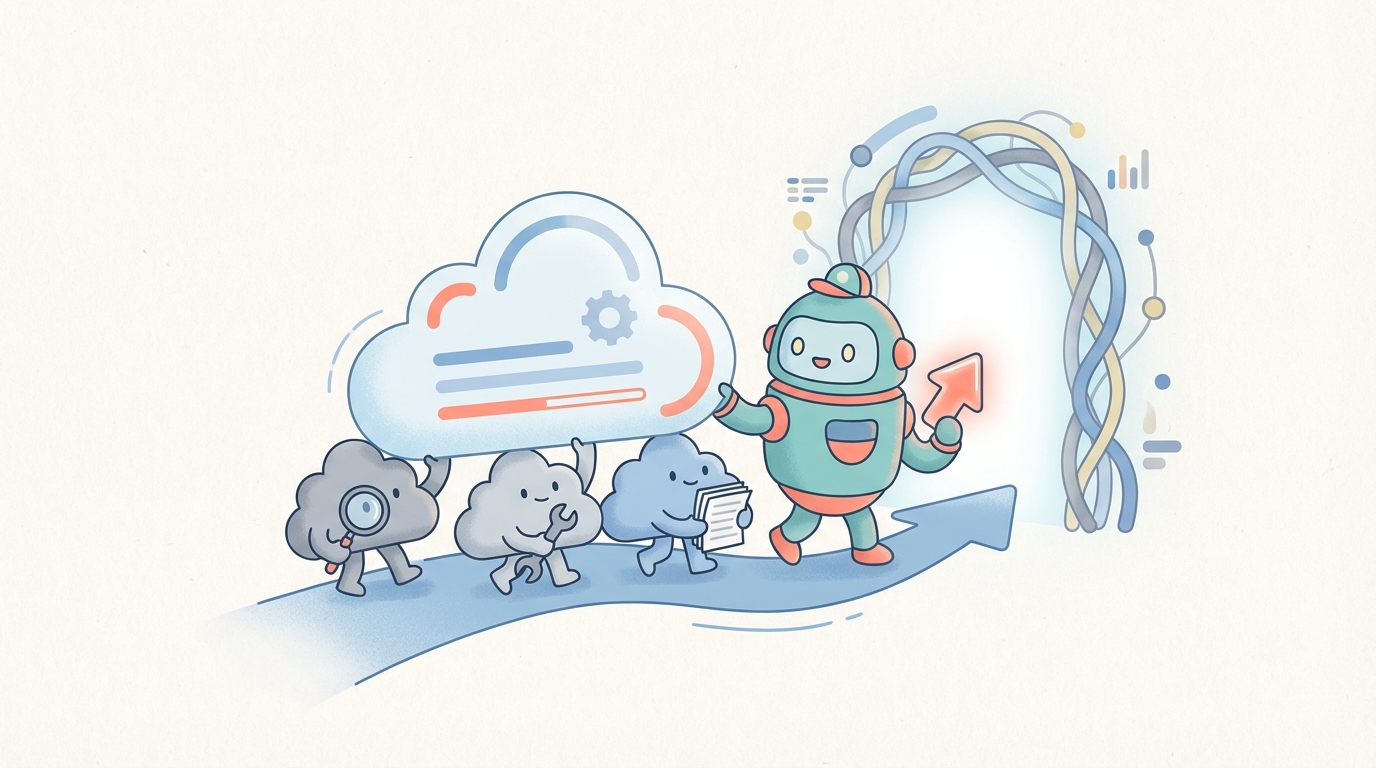
Quick suit is your AI teammate that collaborates with you to get work done
Amazon Quick Suite is redefining the modern workspace — bringing together conversational AI, data analytics, and automation in one unified environment. I’ll walk you through its components, explain how it works, share real use cases, discuss challenges, and guide you on how to get started.
Why We Need Better Tools for Work Today?
In an era of information overload, fragmentation across tools, and escalating demand for speed. Many teams struggle to quickly surface insights, act on them, and automate repetitive work without having to shuffle between dozens of apps. Traditional BI tools are great for dashboards. Chatbots are good for conversational queries. But what if you could have something that reasons and acts?
That’s the promise of agentic AI — The AI systems that don’t just answer, but can orchestrate actions. Amazon Quick Suite isa workspace where insight, research, conversation, and automation unite. It’s like working alongside a smart associate.
What This Blog Covers
- What Quick Suite is and why it matters
- Deep dive into its features and modules
- Security and governance
- Real-world use cases, benefits & risks
- Best practices and steps to get started
By the end, you’ll understand whether Quick Suite is a fit for your organization — and how to begin experimenting with it.
**What is Quick Suite and why does it matter?**
According to AWS, Quick Suite is “a generative-AI powered business intelligence platform that makes it easy to analyze data, create visualizations, automate workflows, and collaborate across your organization.” It combines five integrated API sets for business intelligence and analytics:
- Quick Sight — the analytics/visualization layer (former QuickSight)
- Quick Research — AI research across docs, web, and enterprise data
- Quick Flows — simpler, repeatable automations
- Quick Automate — more complex, multi-step business workflows
- Quick Index — a unified knowledge index across your enterprise data
All accessible through chat, agents, or workspace context.
Why it Matters
- Bridges the gap between insight and action: rather than just visualizing, you can do things (create tickets, automate reports).
- Breaks down data silos: Quick connects to your internal docs, databases, apps, and even public data.
- Democratises AI: business users can interact via natural language, not code.
- Enterprise-grade security & governance: custom permissions, isolation, encryption, audit trails.
Transition from QuickSight → Quick Suite
If you’re already a QuickSight user: good news — Quick Suite is the evolutionary upgrade. Your data, permissions, and dashboards remain intact. You’re gaining new capabilities layered on top.
3\. Core Capabilities & Modules
Let’s unpack each major piece of Quick Suite, how it works, and where it shines.
3.1 built-in chat assistant
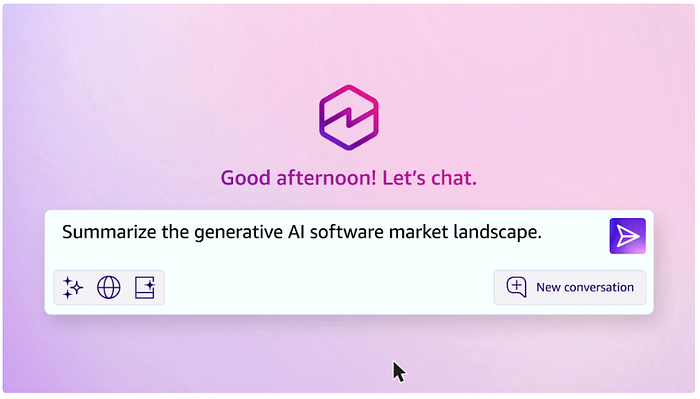
Quick Suite includes a built-in chat agent that you can talk to naturally. You can also author custom chat agents tailored to teams or domains (e.g. sales, compliance, support). These agents can answer queries, synthesize insights, or kick off actions. The chat agent is available for all the Quick Suite modules. Like the one below
3.2 Spaces: Organizing Context & Projects
A Space is a workspace or container that organizes relevant documents, data sources, agents, and workflows. You might create a “Product Launch” space containing competitive research, project plans, customer data, and a launch-planning agent.
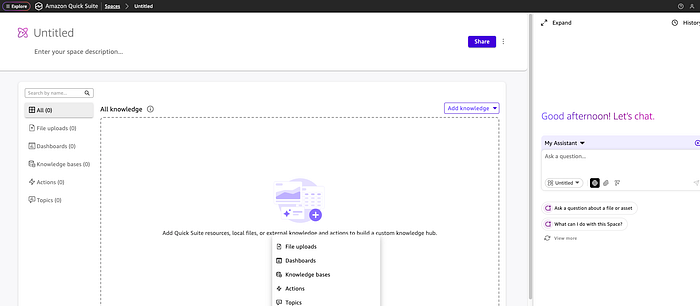
AWS console — Quick Suite Spaces
Spaces help with:
- Context scoping for agents (so agents only act within relevant data)
- Collecting project-specific artifacts
- You can create a dedicated space for your team and add artifacts you refer to frequently
3.3 Quick Index
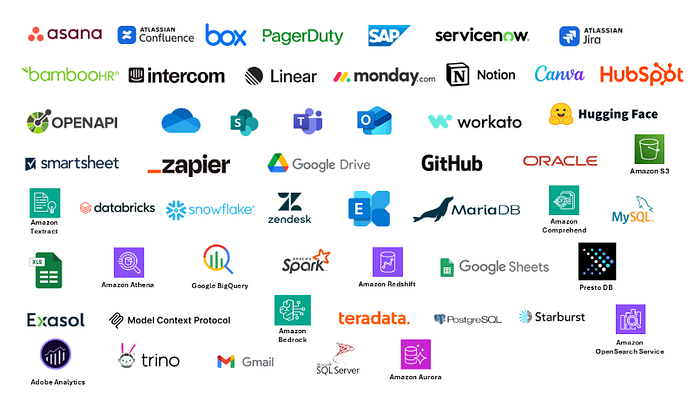
This is the knowledge backbone: a unified index of enterprise data and documents, searchable and accessible by agents and users. Quick Index makes it simple for you to connect to the sources and applications that matter. It brings together structured and unstructured sources. Connectors are available for the following apps and many more.
3.4 Quick Flows & Quick Automate
- Quick Flows: Lower-complexity automations — built with natural language — for recurring tasks (e.g., “Send email with latest dashboard to the team weekly”).
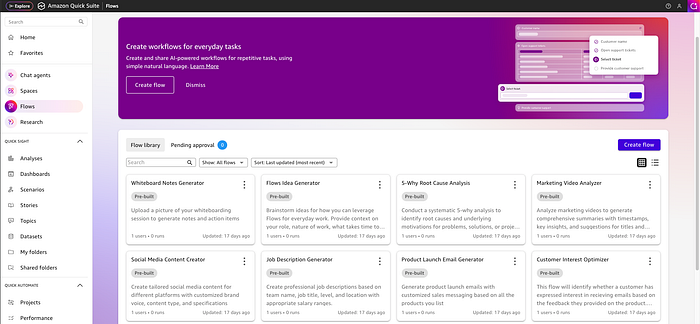
AWS console — Quick Suite Flows
- Quick Automate: It handles the advanced orchestration logic, allowing technical teams to define this entire flow using natural language or existing process documentation. More complex, multi-agent orchestration, enterprise workflows across systems (e.g., Customer Onboarding and Compliance Workflow). These examples are complex, multi-agent orchestration because they involve coordination, sequential and parallel execution, decision-making (risk assessment), human intervention for quality control, and integration across multiple internal and external enterprise systems.
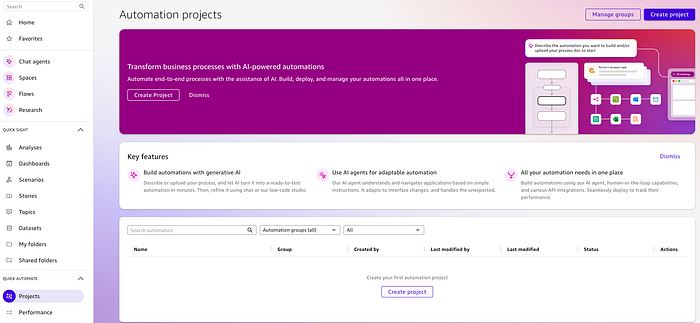
AWS console — Quick Suite Automation Projects
3.5 Quick Research
This module enables deep research across your enterprise, the web, external datasets, and more. It returns cited, synthesized reports with context. It’s like having your own personal Ph.D. to provide comprehensive answers and reports to questions that require extensive research. It uses analysis capabilities and extended processing to dive into your company’s data, and the public internet, including real-time information from 200+ outlets like The Associated Press, The New York Times, Washington Post, and Forbes. It can access integrations with MCP to connect to 1,000+ apps. This can turn weeks-long research projects into quick-turn results, all with fully cited sources you can trust.
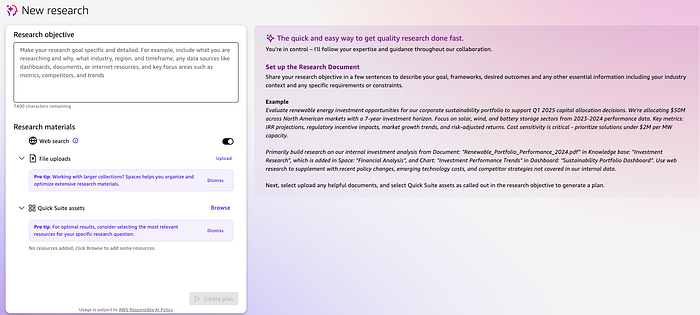
AWS console — Quick Suite Research
3.6 Analytics & Visualization (Quick Sight)
The BI capabilities you know (dashboards, charts, natural-language analytics) remain. Now they’re integrated inside the broader Quick Suite context. You can ask questions conversationally and have visualizations generated.
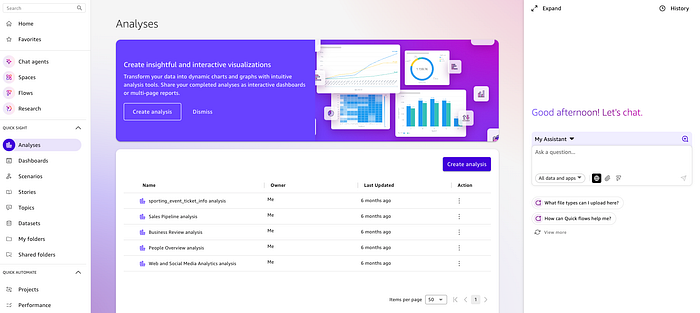
AWS console — Quick Suite Analysis
4\. Security & Governance
- Custom Permissions: Admins can enable/disable AI capabilities per account or per user.
- Data encryption features: Encryption at rest, Encryption in transit, and Key management
- Audit Logging / Observability: You can monitor agent actions and workflow executions. More information about this will be made available in AWS documents
- Data Privacy: Customer queries and data are not used to train AWS models
5\. Use Cases & Personas
Let’s explore how different teams could benefit, with story-style examples.
5.1 Sales / Account Management
Scenario: A regional sales manager wants to review account performance, customer feedback, and competitor intelligence ahead of a renewal.
- Use a Space for “Key Accounts” containing contract records, feedback documents, and competitor reports.
- Question to Chat agent: “What are the top 3 risks across accounts in my region?”
- Quick Research supplements with external public data (e.g., competitor press releases).
- Quick Flows triggers: “If risk > X, open a task in Salesforce / Asana to review account plan.”
5.2 Operations / Monitoring
Scenario: The operations lead wants to detect anomalies, monitor KPIs, and automate alerts.
- Dashboards visualize latency, throughput, and error counts.
- Prompt to Chat agent: “Show me spikes in error rates last week vs the baseline.”
- If anomalies are detected, Quick Automate opens tickets or notifies Slack/PagerDuty.
5.3 IT Support / Knowledge Management
Scenario: The IT support team needs consistent answers to internal FAQs and troubleshooting.
- Build a Space containing internal Standard Operating Procedures, documentation, and past tickets.
- Create a chat agent specialized to answer “How do I reset my VPN?” or “What’s our policy for data backup?”
- If a question can’t be answered, the agent initiates a ticket or hands it off to a human.
5.4 Strategy / Research Team
Scenario: A business strategy team needs a 20-page competitive analysis.
- Ask Quick Research: “Compare market share, trends, and recent acquisitions for top 5 competitors over the past 3 years.”
- Quick Research returns a cited report combining internal data & web sources.
- Use visualization features to embed charts. Share within the Space, co-author with teammates.
Benefits & Value
- Unified experience: Insights + actions + conversational interaction under one roof
- Faster time to insight / action: Reduces friction of moving between tools
- Scalable AI adoption: Enables non-technical users to harness AI
- Governed AI deployment: Fine-grained control over who can use what
- Incremental adoption: Start with BI, then layer in agents and automation
What to Watch Out For
- Data quality & integration effort: If your data is inconsistent or siloed, agents may produce poor answers
- Hallucinations / incorrect agent outputs: Always validate AI-generated content
- Workflow management: Poorly designed workflows may trigger undesirable actions
- Adoption resistance: Teams may mistrust automation or prefer old methods
- Cost management: Using many agents, index size, and workflows may incur usage costs
- Latency & scaling constraints: For very large data or real-time demands
7\. Best Practices
- Pilot small, then scale: Start with one team or domain (e.g., support)
- Define clear knowledge boundaries per space: Avoid mixing unrelated data scopes
- Human-in-the-loop verification: Especially early on
- Version & audit changes: Log agent definitions, workflow changes
- Govern gradually: Use custom permissions to let features roll out by user group
- Design prompt templates & agent personas with extra attention
- Monitor performance & usage metrics for workflows and agents
- Train users: Provide guidelines on query phrasing, validation
8\. How to Get Started
Here’s a step-by-step path to begin using Quick Suite:
- Enable Quick Suite in your AWS account (admins)
- Set up Spaces: create a pilot space, upload a few documents / datasets
- Connect data sources: e.g., S3 buckets, databases, internal repos
- Create a custom agent or use the built-in chat for basic queries
- Run Quick Research to test cross-domain insights
- Build a simple Flow (e.g., “Send weekly summary to me”)
- Add governance controls / permissions to limit exposure
- Gather feedback, iterate, expand to other teams
Tip: Focus on one high-impact use case (e.g., automating weekly reports or support FAQs) before expanding.
9\. Future & Direction
Quick Suite is AWS’s vision for the next-gen AI-powered workspace. Some hints at what lies ahead:
- Deeper integration with Amazon Bedrock or other models to allow model selection or custom models in workflows
- More prebuilt agents/templates for common domains (HR, finance, legal)
- Expanded regional availability and capacity
- Smarter reasoning and multi-agent orchestration frameworks
- Integrate enhanced analytics, storytelling, and visuals
- Tighter integrations with productivity tools (e.g., Slack)
10\. Conclusion & Call to Action

New Quick Suite customers receive a 30-day free trial for up to 25 users .
So turn on Quick Suite in your account and get started:
- Identify one team or domain to pilot
- Define your data and knowledge sources
- Build a small agent or flow, see results
- Iterate, expand, govern
If automation of a repetitive process interests you and FinOps is your thing, then do check out DoiT CloudFlow’s AI-powered, no-code interface that’s designed to reduce cloud expenses and ensure compliance.