

Why would anyone want to run GKE on AWS you might ask? That’s a fair question and the reasons may vary company to company. Some common use cases may include:
- fault tolerance with an active-active multi-cloud strategy
- use vendor credits while centralizing management
- migrating from one cloud to another with minimal downtime
- leverage existing infra and expertise while improving k8s experience
- faster cluster creation (5–7 minutes vs EKS’ typical 20+ minutes)
Whatever the reason may be, we will explore how you can deploy Google Kubernetes Engine (GKE) on AWS using Anthos GKE.
This is the first of a 3-part series which will explore Google’s Anthos GKE:
- Part 1: Preview of Anthos GKE running on AWS
- Part 2: Step-by-step installation instructions
- Part 3: GKE cluster workloads interacting with AWS services
Architecture
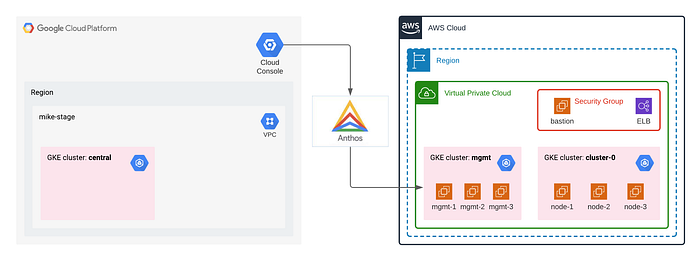
Google Anthos GKE running on Amazon Web Services
Node pools and easy k8s autoscaling on AWS
Amazon’s own managed Kubernetes service, EKS, lacks many features offered by Google’s managed service, GKE. Aside from its UI and simplified cluster upgrade operations for control plane and worker nodes, a popular feature is Google’s autoscaling and node pools. Now you don’t have to compromise.
apiVersion: multicloud.cluster.gke.io/v1
kind: AWSNodePool
metadata:
  name: cluster-0-pool-0
spec:
  clusterName: cluster-0
  version: 1.16.9-gke.12
  region: us-east-2
  subnetID: subnet-XXXXXXXX
  minNodeCount: 3
  maxNodeCount: 5
  instanceType: t3.medium
  keyName: gke-XXXXXXX-keypair
  iamInstanceProfile: gke-XXXXXXXX-nodepool
  maxPodsPerNode: 100
  securityGroupIDs:
  - sg-XXXXXXXX
  rootVolume:
    sizeGiB: 10
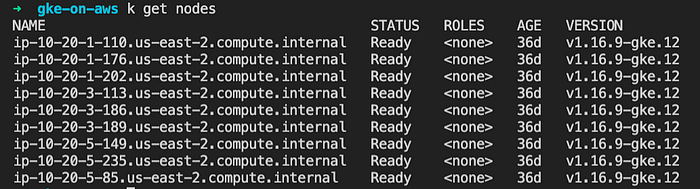
Kubectl view nodes running GKE on AWS instances
Command-line interface (CLI)
Anthos provides a command-line interface (CLI) called anthos-gke that provides similar functionality as the gcloud CLI, but also generates Terraform scripts (will cover in-depth during part 2 of this series). Using the tool you can switch between the control plane and clusters as shown.
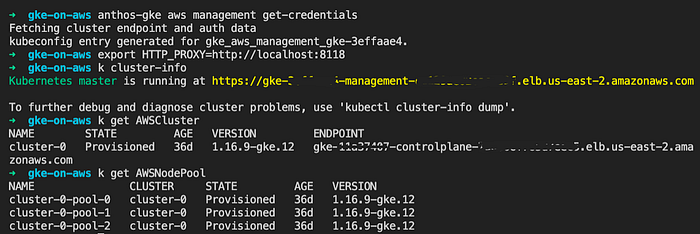
Control plane
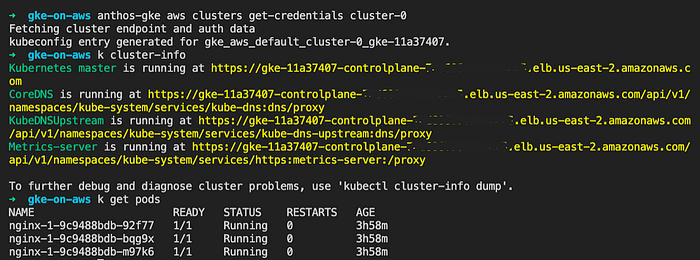
Test cluster (cluster-0)
Enterprise container management (ECM)
When enterprises traditionally wanted to centralize their Kubernetes cluster administration they would look to ECM vendor solutions like Redhat OpenShift, VMWare Tanzu, Docker Enterprise, or Rancher Labs. Each typically has its own limitations or vendor lock-in, however.
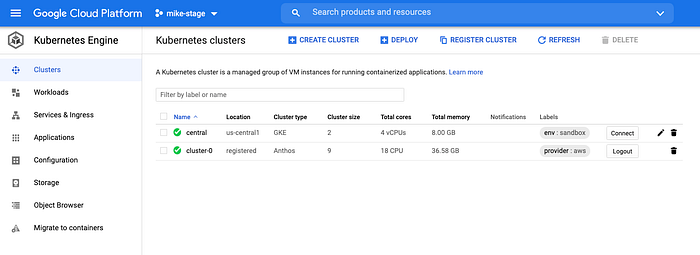
Managing local and remote clusters from single Google Cloud Console
With Google’s Anthos, you can register any Kubernetes cluster by installing a small gke-connect-agent workload, whether on-prem, in another cloud, or even running on Google’s infrastructure. This allows you to interact with and monitor any cluster using Google Kubernetes Engine cloud console. Clusters can be self-managed or cloud-managed, and even some of the aforementioned ECM solutions.
Now let’s see it all in action … it’s as easy as 1–2–3
1\. Deploy app to AWS from GCP Cloud Console
Although most Kubernetes management leverages the kubectl command line tool, or a CI/CD pipeline, you can even deploy workloads to your GKE clusters running on AWS from the GCP console (web UI).
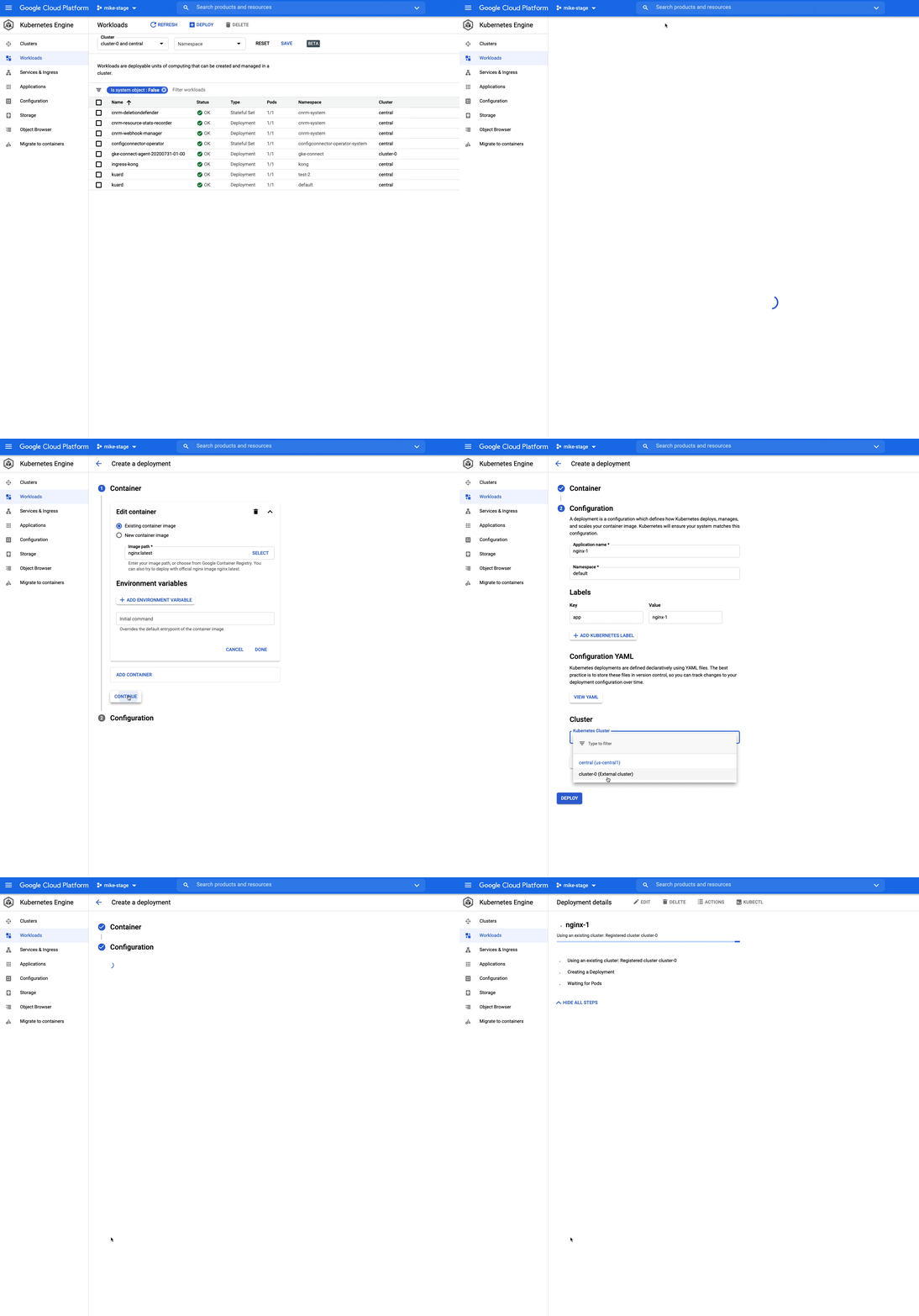
Deploy from web
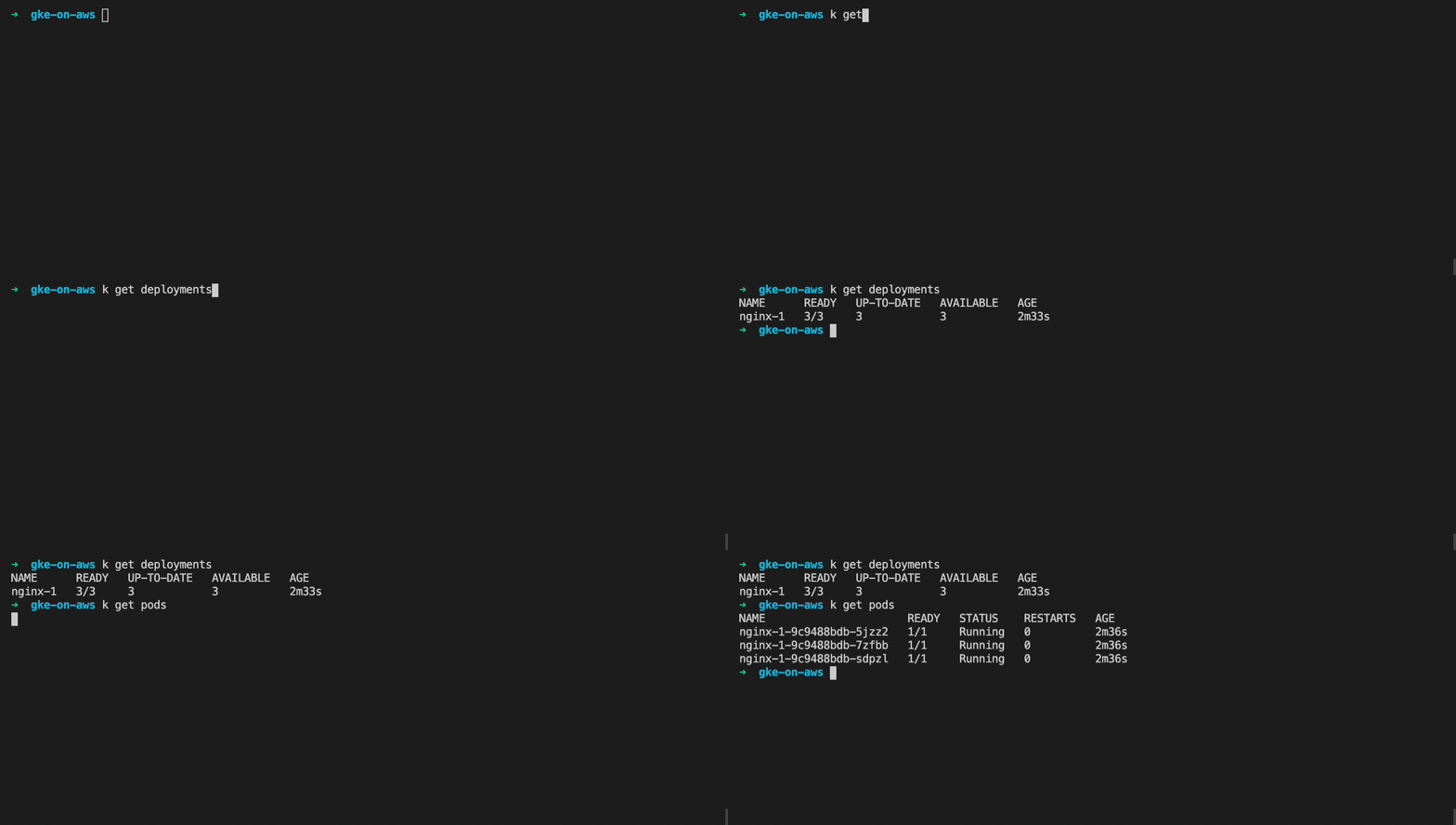
Check with kubectl tool
2\. Expose app by automatically provisioning ELB
You can optionally expose your workloads and Anthos GKE will automatically provision and configure an AWS ELB instance, making your app publicly accessible.
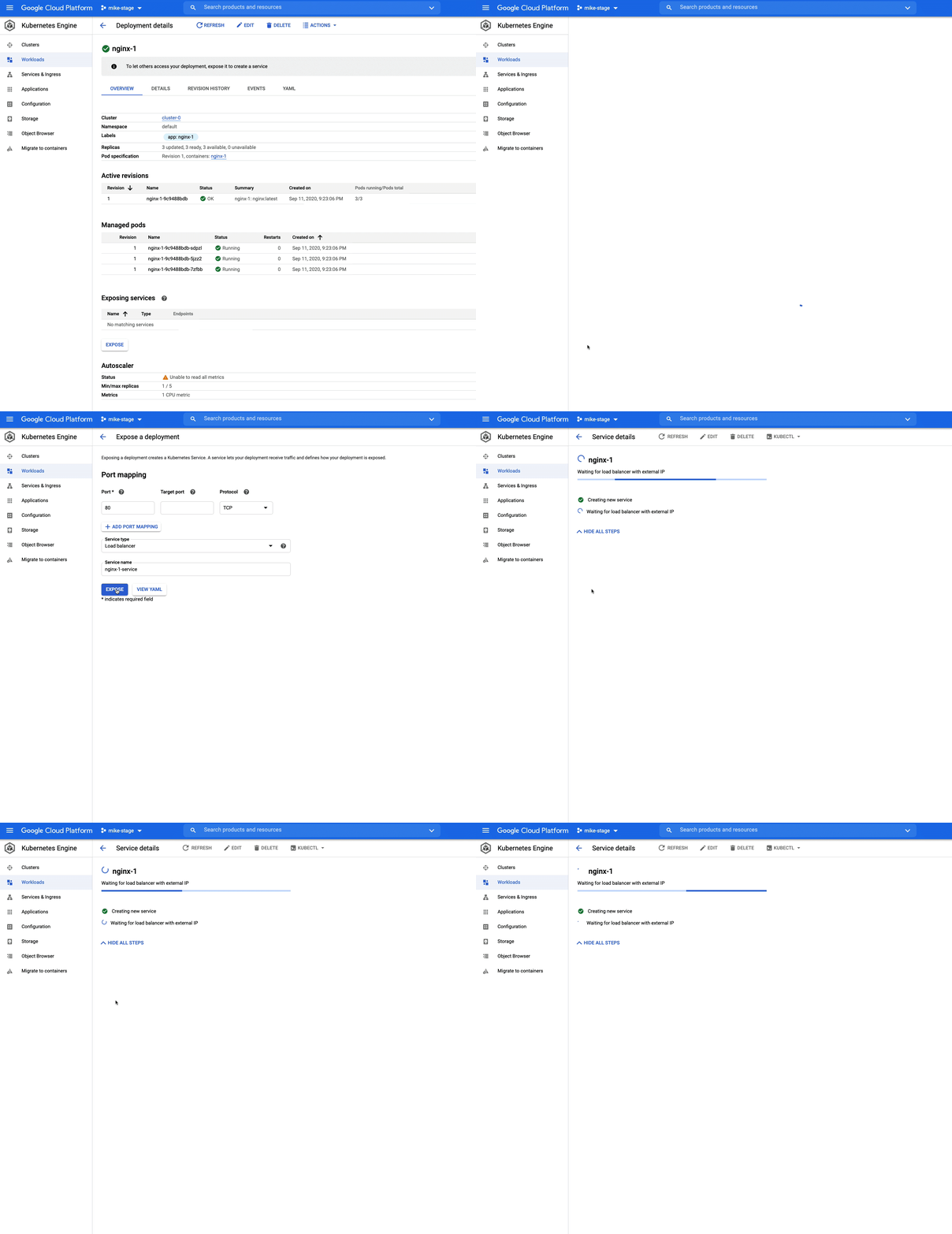
Expose workload and create ELB
After you “expose” your service, you can leverage GKE’s UI to view details about your service, in this example a LoadBalancer type.

GKE service detail screen
3\. Congratulations!
If you revisit the AWS console, you can view the load balancer Anthos GKE has provisioned.
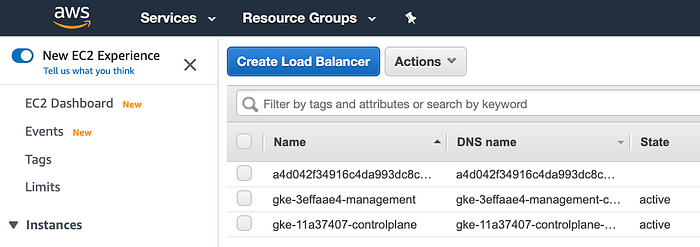
Load balancer appears in AWS resources
By visiting the endpoint URL in your browser, you can see a successfully-deployed nginx server (this example) to your GKE cluster running on AWS, and exposed it with an ELB in only a few clicks.
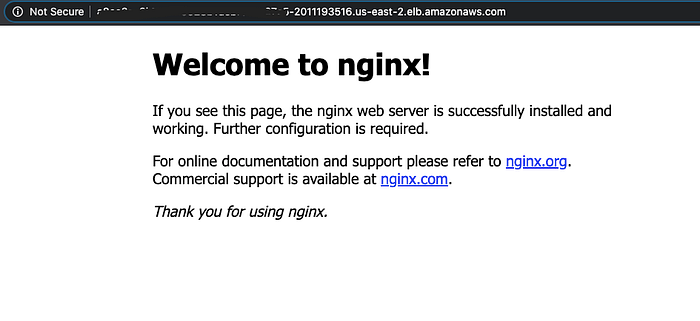
Hooray! Nginx is publicly accessible in browser seconds later
Next steps
In the next article, we will explore step-by-step instructions on how to install Anthos GKE on AWS.
Please check back here for a link when it’s available, or optionally follow me to stay informed of my new posts. You may also visit our https://blog.doit-intl.com site to read our various articles.