Never miss out on SCC Findings again.
Google Security Command Center (SCC) surfaces security issues in the form of Findings. In a previous article, we explored how to extend SCC’s notifications to make security Findings more visible, and available in Cloud Monitoring for metrics and alerting.
In this post, you’ll learn another option to extend the visibility of those Findings even further by sending them a Slack channel automatically.
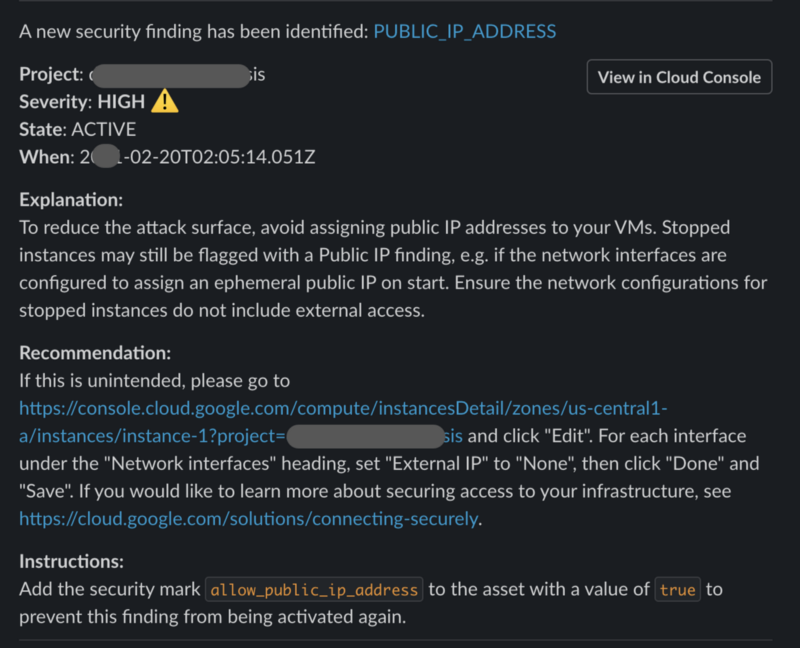
Google SCC Finding alert sent to a Slack channel
The project is a Google Cloud Function that is triggered by SCC Findings sent to a PubSub Topic. The PubSub configuration may be set up using the related project https://github.com/gschaeffer/scc-alerts. The default filter is for high severity Findings.
Requirements
SCC Notifications must be set up. That process is simplified using the related project https://github.com/gschaeffer/scc-alerts.
Installation
Set the project value for the gcloud commands.
PROJECT="[REPLACE_WITH_PROJECT_ID]" gcloud config set core/project $PROJECT # Verify the change gcloud config get-value core/project
Create secrets in Cloud Secret Manager. Enable the service if it is not already enabled.
Deploy the cloud function
https://github.com/gschaeffer/scc-slack-handler