

This article provides a step-by-step guide to set up dbt within Google Cloud Composer.
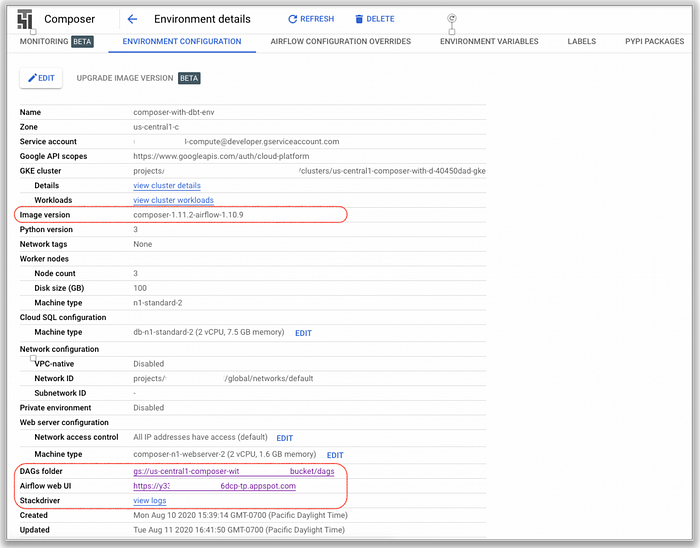
- To start let’s create a Cloud Composer instance with the following environment configuration:
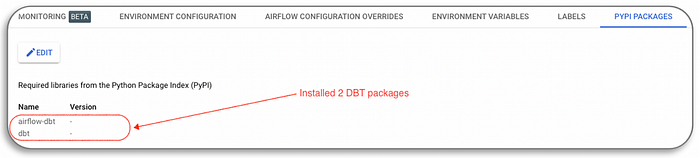
2. Install two python packages in Composer:
airflow-dbt (dbt operator and the dbt hook)
dbt (dbt python package)
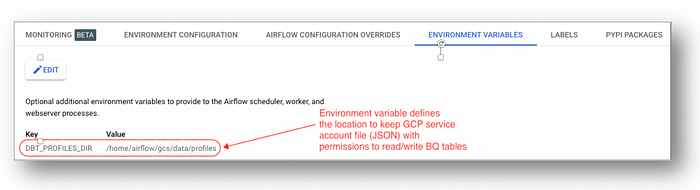
3. Next, configure an environment variable DBT_PROFILES_DIR for the service account key file as “/home/airflow/gcs/data/profiles”.
4. Then create a service account “dbt-big-query-user” with role “BigQuery User”.
Assumption: Transforming BigQuery dataset to another BigQuery table

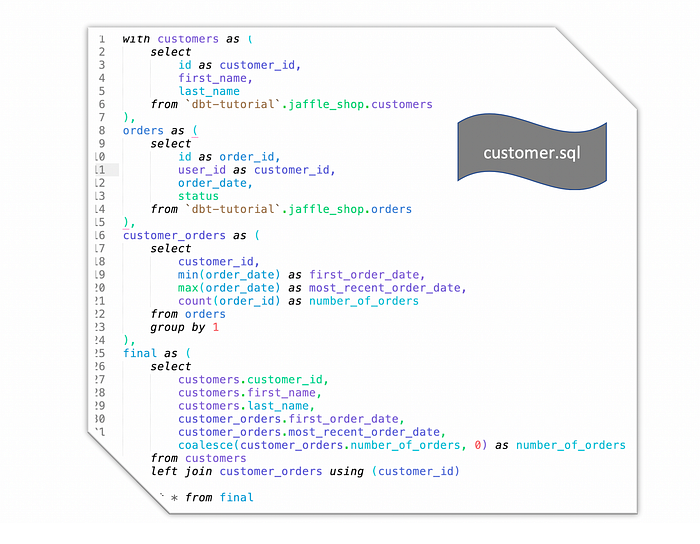
5. Build a simple dbt workflow files using “Jaffle Shop” public data:
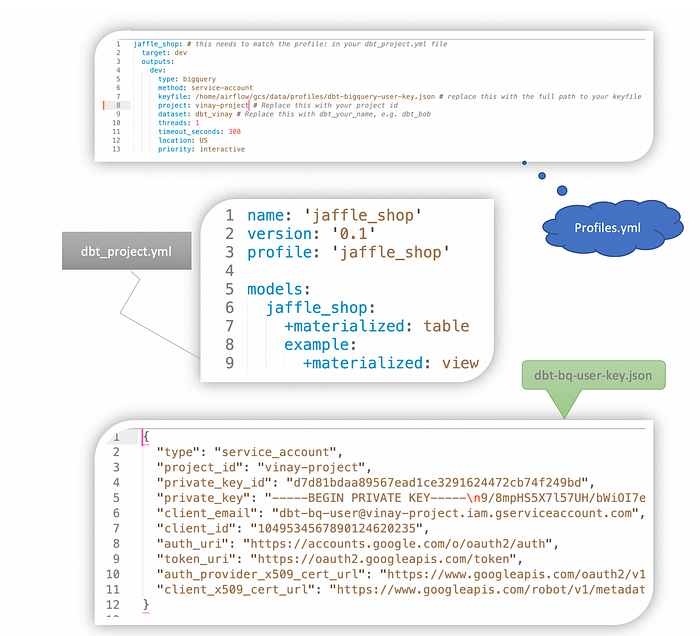
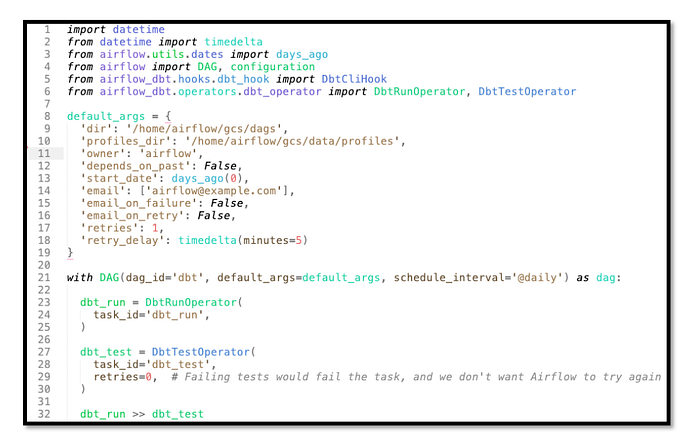
6. Define workflow with dbt operator (dbtflow.py)
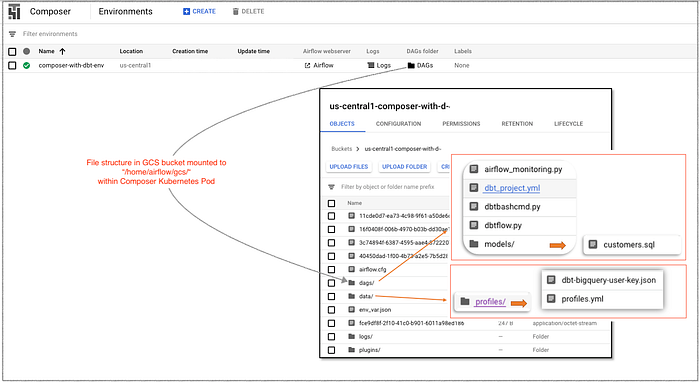
7. Upload files to Composer bucket in the following hierarchy:
8. Trigger the “dbt” DAG in Composer
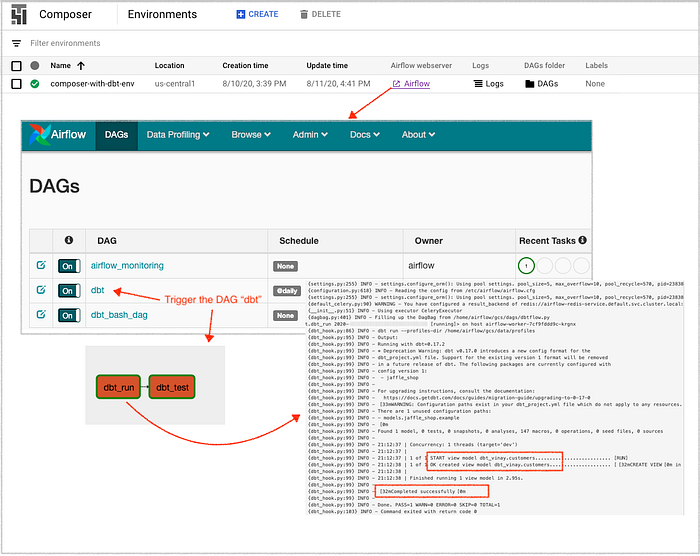
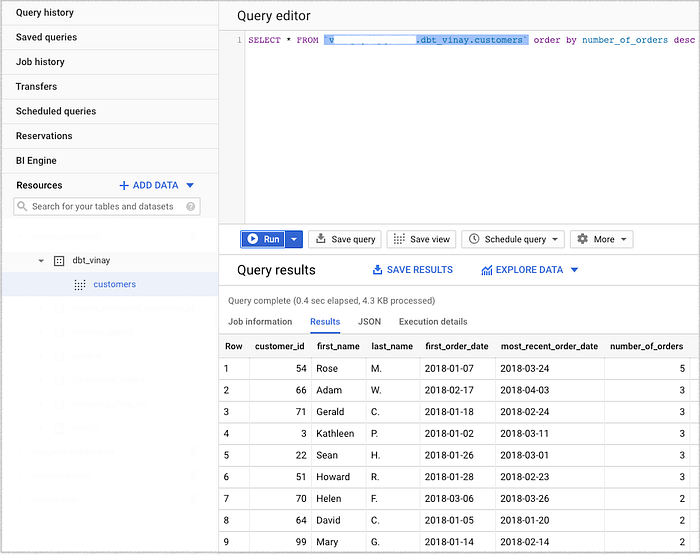
9. Review the dbt workflow execution results in BigQuery.
References
Download sample files described above from: https://bit.ly/3kJ4pWQ as composer-dbt.zip